
Windy.com - Weather Forecast
Windyty SEWeather
4.710.58K Reviews
- Version
- 51.3.2
- Installs
- 50.00M
- Age Rating
- Everyone
Screenshots
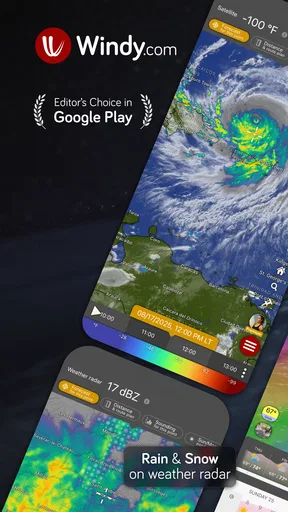
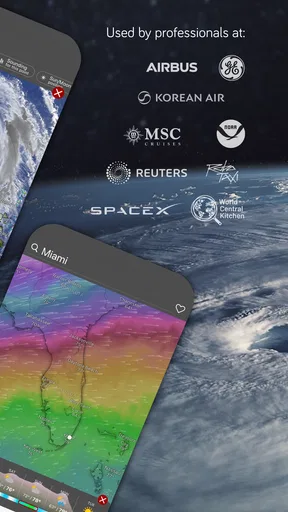
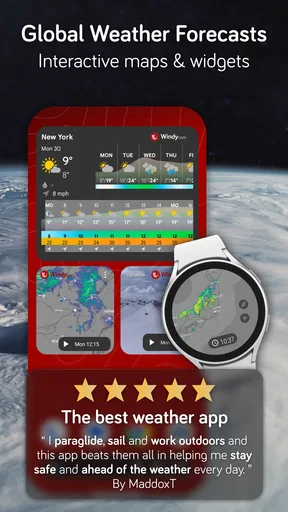
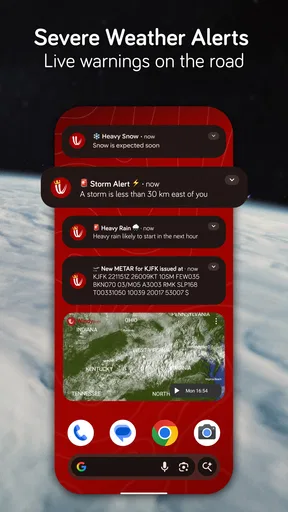
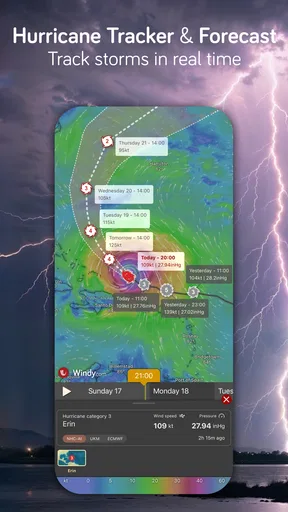
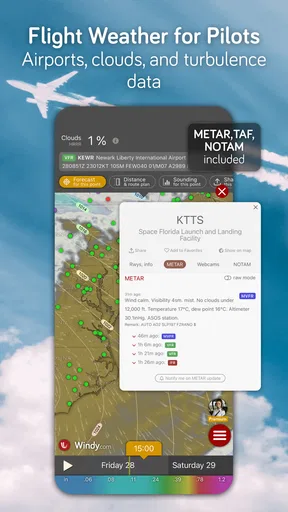
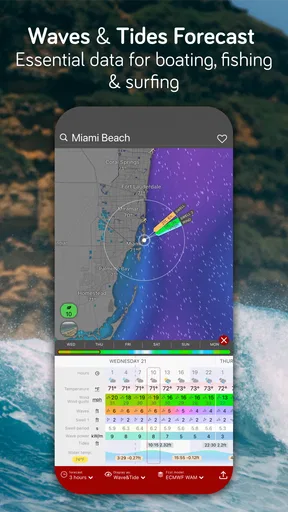
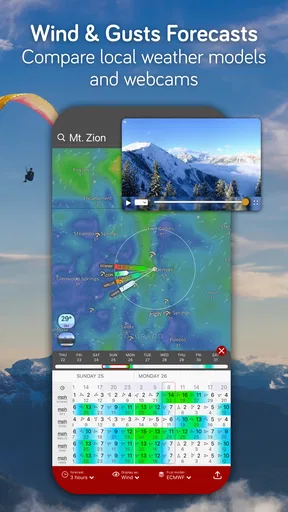
Our Review of Windy.com - Weather Forecast
 Analysis by Appyee
I reach for Windy.com when a simple temperature number is not enough and I want to see how conditions fit together across a map. It works for everyday planning, but it also invites a more deliberate habit: choose a place, inspect the relevant layer, compare the forecast with what is happening now, and check again when the plan depends on the weather. That extra depth is useful, though it can feel like more information than a casual glance requires.
A practical routine for checking the forecast
My best results come from giving each check a purpose. For a commute, I might look at precipitation and radar; for a walk, wind and temperature matter more. Starting with one layer keeps the map readable. I then zoom into the area I care about and move through the timeline rather than treating one colorful snapshot as a complete answer. The map is a planning aid, not a promise that every street will match the forecast exactly.
A realistic example: before cycling home, I would check whether rain is already moving toward my route, then look at wind direction as well as strength. A headwind can change how comfortable the ride feels even if the temperature is mild. If the picture looks uncertain, I would check again closer to departure and keep a simpler backup plan. This habit is more useful than repeatedly opening the app without knowing what I am trying to confirm.
Settings that make a difference
Windy.com is easier to use once the map and units suit the way you think. I recommend checking the measurement units and setting a useful default area rather than beginning every session with a broad view of the world. If you are comparing conditions for a trip, save or revisit the places you actually need, and avoid leaving several unrelated layers active when you only want one answer. The aim is not to customize everything; it is to reduce the steps between opening the app and making a decision.
Alerts can help when a condition matters while you are busy, but I would use them selectively. A notification for a meaningful change is more valuable than a stream of updates that trains you to ignore them. Pick a threshold that would genuinely change your plans, then use the map to understand the wider situation when an alert arrives. For a day outdoors, that combination is more sensible than assuming one notification replaces checking the forecast.
Shortcuts for repeat checks
Once you know which layers answer your usual questions, you can build a quick sequence: open the location, check the main condition, then switch to a second layer only if it affects the decision. For boating or coastal plans, wind and waves deserve attention together; for a garden task, rain timing may matter more than a broad overview. Keeping the same sequence makes comparisons from one check to the next easier, because you are not constantly changing what you look at.
The map is especially helpful when a forecast changes over a larger area. Instead of focusing only on the pin for your destination, I like to look around it and see whether nearby conditions suggest a passing band or a more widespread pattern. That is a useful way to decide whether to shift a start time or choose a different outing. It does not remove uncertainty, but it gives more context than a single icon in a standard forecast list.
Where depth has a cost
This is not the weather app I would choose for everyone. If you mainly want a quick daily high and low, a straightforward forecast screen can be faster and less distracting. Windy.com’s animated map and many layers reward exploration, but they also ask you to interpret what you see. Color alone is not a decision: check the layer name, units, location, and time before acting on it.
I also treat detailed forecasts cautiously when timing or local exposure matters. Conditions can differ across a short distance, and a map cannot tell me exactly what I will encounter behind a building, on a trail, or at a harbor entrance. For safety-critical decisions, I would use appropriate local guidance as well as the app, rather than relying on one screen. That is not a flaw unique to Windy.com; it is a sensible limit for any forecast tool.
Who will get the most from it
I think Windy.com suits people who enjoy seeing weather in context: hikers choosing a departure window, sailors checking wind and waves, photographers watching cloud cover, and anyone who regularly plans around changing conditions. It is also useful for curious users who want to explore rather than just read a daily summary. If you are new to weather maps, start with one layer and learn what it represents before adding more; that keeps the experience approachable.
Windy.com is a free weather app from Windyty SE, with optional in-app purchases priced from $1.49 to $114.99 per item. It is rated for Everyone 10+, has a 4.7 average from around 792,000 ratings, and has been installed over 50 million times. It first appeared on February 14, 2016, and the Android version requires 8.0 or later. Those figures show that it has a substantial audience, but they do not tell you whether its map-first style matches your own routine.
What to expect on a first visit
When you first open Windy.com, you’re greeted with a beautifully animated map that displays real-time weather patterns. It’s not just any map; it’s super interactive. You can zoom in and out, switch between different weather layers, and even check out specific weather parameters like wind speed, temperature, humidity, and more.
For a newcomer, I would resist the urge to explore every control immediately. Choose a familiar location and one question—such as whether rain is approaching—then use the corresponding layer and map view to answer it. After that, try another parameter. This small routine makes the interface feel less busy and helps you learn which visual cues are useful for your plans rather than simply attractive.
Features That Stand Out
When you first open Windy.com, you’re greeted with a beautifully animated map that displays real-time weather patterns. It’s not just any map; it’s super interactive. You can zoom in and out, switch between different weather layers, and even check out specific weather parameters like wind speed, temperature, humidity, and more.
Visuals and Interface
The visuals are nothing short of stunning. The app uses color gradients to represent different weather conditions, making it easy for anyone to understand at a glance. The interface is sleek and intuitive, which means you don’t have to be a tech wizard to navigate your way around.
Weather Layers Galore
What really sets Windy.com apart is the sheer number of weather layers you can explore. From wind speed and precipitation to cloud cover and air pressure, it’s all there. You can even check out radar and satellite images to get a comprehensive view of the current conditions.
Forecast Accuracy
I’ve found the forecast accuracy to be pretty on-point. Windy.com taps into multiple weather models like ECMWF, GFS, and NEMS, which are known for their reliability. So, whether you’re checking the weather for today or planning something for the next week, you can trust the data you’re seeing.
Still, I would not treat any model as a guarantee. Forecasts are more useful as a guide to likely conditions than as a minute-by-minute promise, especially when plans are several days away or depend on a very specific location. If the outcome matters, compare the broader pattern with the nearer-term picture and reassess as the day approaches. That is where having multiple ways to view the weather can help, provided you are comfortable interpreting them.
Custom Alerts
One of my favorite features is the custom alert system. You can set up notifications for specific weather conditions that matter to you. Want to know if it’s going to be windy enough for kite surfing this weekend? Set an alert, and Windy.com will keep you in the loop.
For a repeatable setup, I would first decide what change would actually alter my plans, then configure an alert around that concern rather than trying to monitor every possible condition. An alert is a prompt to look again, not a substitute for judgment. If you are heading out on the water, for example, the useful follow-up is to check the relevant map layers and local advice rather than making a go-or-no-go choice from a notification alone.
User Community and Social Features
Windy.com also has a thriving user community. You can share your weather observations, connect with other weather buffs, and even upload weather-related photos. It’s a great way to engage with like-minded individuals while keeping an eye on the skies.
I see the community side as an optional extra rather than the main reason to install the app. It may add local perspective and make weather watching more social, but observations from other people should be treated as context, not as a replacement for the forecast layers or official guidance. If you prefer a quiet utility, you can focus on the map and leave the social features aside.
Offline Mode
Planning to venture into areas with spotty internet coverage? No worries! You can download weather data and maps for offline use. This feature is a lifesaver for outdoor adventurers who need reliable info when they’re off the grid.
I would plan this before leaving coverage rather than assume an offline map will behave exactly like a live connection. Download what you need while you still have service, check it before departure, and remember that saved information can become less useful as conditions change. For a remote hike, that makes offline access a helpful backup for orientation and preparation, not a reason to ignore changing weather or carry no other safety plan.
Supported Platforms
The app is available for both Android and iOS, so no matter what device you’re on, you can stay weather-savvy. The synchronization between devices is seamless, which is a huge plus if you like to switch between your phone and tablet.
Moving between a larger screen and a phone can suit different stages of planning: I would use the larger display to study a broad weather pattern, then keep the phone handy for a quick check before leaving. On either platform, though, the key is the same—keep the view focused on the place and conditions that matter. A bigger map can reveal more context, but it cannot make a forecast certain.
Final Thoughts
All in all, Windy.com - Weather Forecast is more than just a weather app; it’s a comprehensive tool for anyone who wants to stay ahead of the weather. Its combination of detailed data, stunning visuals, and user-friendly interface makes it a must-have on your device.
So, if you haven’t already, give Windy.com a try. Whether you’re a professional meteorologist or just someone who likes to stay prepared, this app is bound to impress. Happy weather watching!
My recommendation after using it
I would recommend Windy.com to someone who wants to understand what the weather is doing, not just receive a quick verdict. Its map-based approach makes it particularly worthwhile when wind, waves, rain, or cloud cover can change the shape of a plan. By contrast, if you only check whether to take a coat, a simpler app may get you to the answer with fewer taps. Neither approach is universally better; the right one depends on how much context you want.
The most useful habit is to build a small, repeatable check around your actual routine: choose a location, inspect one relevant layer, look at the timing, and revisit the forecast when the decision gets closer. That keeps the detail working for you instead of turning the app into a collection of colors to browse. For an everyday user willing to spend a little time learning the map, I find it a capable and engaging weather companion.
Privacy and Permissions
See what permissions an app requests and how it handles your data.
- Location
- approximate location (network-based), precise location (GPS and network-based)
- Photos/Media/Files
- read the contents of your USB storage, modify or delete the contents of your USB storage
- Storage
- read the contents of your USB storage, modify or delete the contents of your USB storage
- Wi-Fi connection information
- view Wi-Fi connections
- Other
- view network connections, full network access, run at startup, use accounts on the device, control vibration, prevent device from sleeping, Google Play license check
Verdict
Strengths of Windy.com - Weather Forecast
- Detailed weather maps and forecasts.
- Real-time wind speed and direction.
- Intuitive and user-friendly interface.
- Accurate radar and satellite imagery.
- Customizable alerts for severe weather.
Limitations of Windy.com - Weather Forecast
- Requires internet for full functionality.
- Can be overwhelming for casual users.
- Some features behind paywall.
- Battery-intensive during continuous use.
- Limited offline capabilities.
Similar Picks in This Category
View All
Weather - By Xiaomi
Xiaomi Inc.4.1

Weather & Radar Forecast
WetterOnline4.8

Weather
OneLouder Apps4.6

AccuWeather: Weather Radar
AccuWeather3.6

The Weather Channel - Radar
The Weather Channel4.6

1Weather Forecasts & Radar
OneLouder Apps4.3
You May Also Like
View All
Frequently Asked Questions
What features does Windy.com offer for weather forecasting?
Windy.com provides a comprehensive suite of features including detailed weather forecasts, live satellite imagery, and advanced weather models. Users can access real-time updates on wind, rain, temperature, and pressure. Additionally, the app offers visualization tools like radar and satellite overlays, making it ideal for both casual users and weather enthusiasts.
Is Windy.com suitable for professional use?
Yes, Windy.com is highly regarded by professionals in fields such as aviation, marine, and outdoor planning due to its accuracy and comprehensive data. It offers advanced features like ECMWF, GFS, and ICON models, which are essential for precise weather predictions. The app's detailed maps and forecasts help professionals make informed decisions based on up-to-date information.
How accurate is the weather information provided by Windy.com?
Windy.com is known for its accuracy, utilizing multiple leading weather models like ECMWF and GFS to generate forecasts. This multi-model approach allows users to compare data and gain confidence in predictions. The app updates frequently, ensuring users receive the most current weather information available, which is crucial for planning and safety.
Can Windy.com be used offline?
Windy.com requires an internet connection to access real-time updates and detailed weather maps. However, users can save certain data for offline use, which can be handy in areas with limited connectivity. This feature ensures that users can still refer to crucial weather information when needed, even without an active internet connection.
Is Windy.com free to use, and are there any subscription options?
Windy.com offers a robust free version with many features available to all users. However, for those seeking more detailed data and additional functionalities, there is a premium subscription option called Windy Premium. This subscription includes benefits like faster data updates and access to exclusive forecast models, catering to power users and professionals.
